
AI Music for Videos: A Beginner's Guide
Learn to make AI music for your videos: pick the right mood, match the tempo to your edit, avoid copyright trouble and keep your soundtracks consistent.
By FindPrompts··5 min read
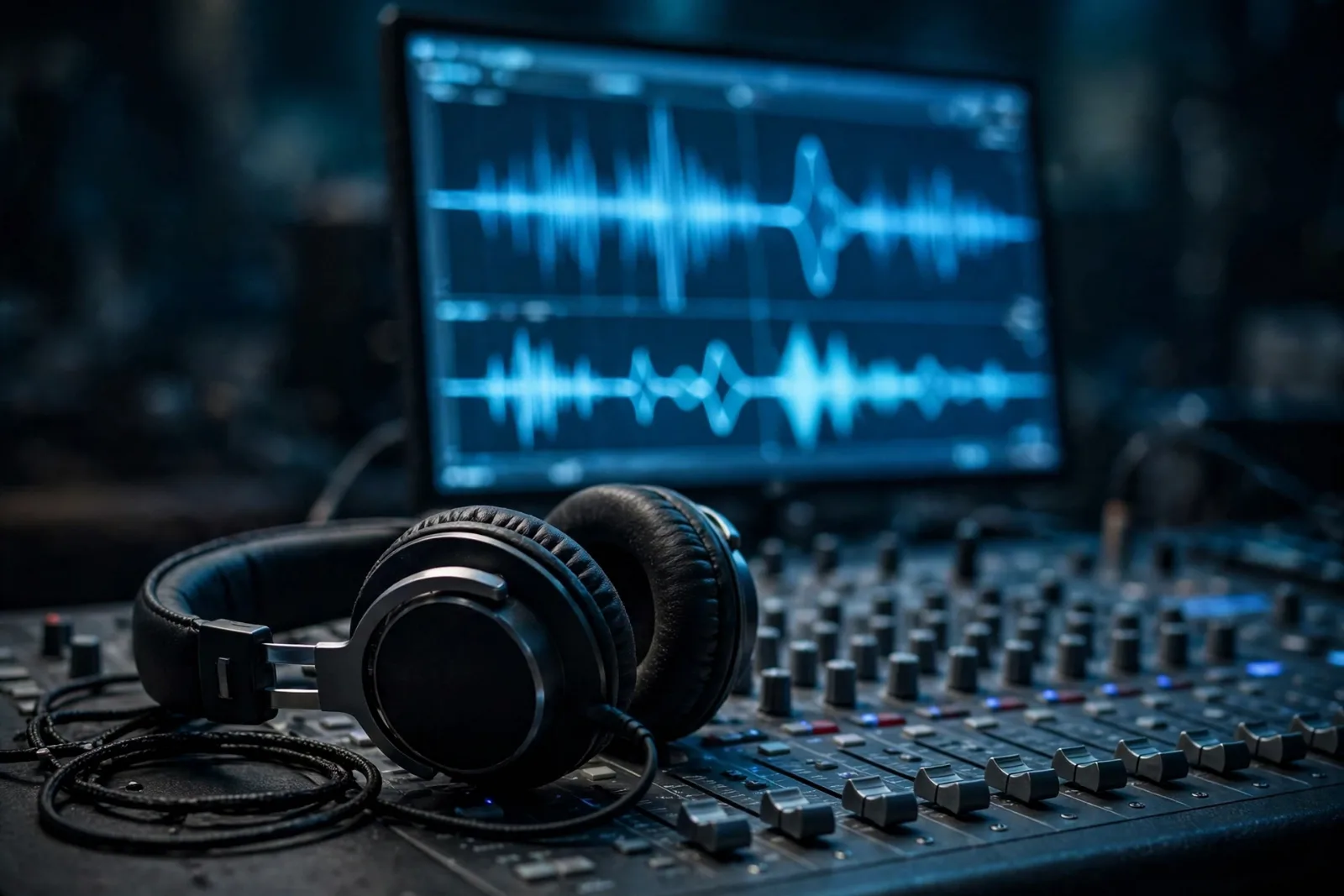
Music decides how a video feels before the viewer has heard a single word. The same clip with a slow piano track feels thoughtful and calm. With a fast, driving beat, the same clip feels exciting and urgent. With no music at all, it can feel flat or unfinished. That is why creators spend so much time choosing soundtracks, and why music is often the part of a video that takes longest to get right.
AI music tools have made that job much more accessible. Instead of searching through endless libraries of stock tracks, or hiring a composer for a short video, you can now describe the mood, tempo, and style you want, and generate a piece of music that fits your edit. For beginners, this is a genuine breakthrough. It lowers the cost, it speeds up the process, and it lets small creators give their videos a polished, professional sound.
But AI music also brings new questions. How do you choose the right mood? How do you match music to the pace of your edit? What about copyright and licensing, which are easy to get wrong and expensive to fix? And how do you keep your sound consistent from one video to the next, so your channel starts to feel like it has its own identity?
This guide answers those questions in plain language. It assumes you have never made music before and you do not read sheet music. All you need is a video to work on and a willingness to listen carefully. By the end, you should be able to pick a mood, generate a track, fit it to your edit, and publish with confidence.
What AI music actually is
AI music tools generate original audio from a text description, a mood, or a set of musical choices such as tempo, key, and instruments. Some tools let you describe the track in words: "a calm acoustic track for a morning routine video". Others let you pick from menus of genres, moods, and energy levels. Some can generate a full song with a beginning, a middle, and an end. Others generate short loops that repeat cleanly, which are useful for background music under narration.
It is worth understanding what these tools do not do. They do not write a famous song for you, and they should not be used to copy one. They generate new music based on patterns they have learned, and the results vary in quality. Some tracks will sound great straight away. Others will sound slightly off: a melody that wanders, a rhythm that feels uneven, or an ending that stops abruptly. Part of learning to use AI music is learning to listen critically and to reject tracks that do not work, even when they were quick to generate.
You also need to know that different tools work in different ways and have different terms of use. Some are built for background music. Some are built for full songs with vocals. Some allow commercial use and some do not. The details change, so always check the terms of the specific tool you are using before you publish a video with its music. This guide explains the general principles; the tool's own terms are the final word on what you are allowed to do.
If you are already using AI for other parts of your video workflow, AI music fits naturally alongside it. Our guide to the Google Flow AI video workflow for beginners (https://findpromps.com/blog/google-flow-the-complete-ai-video-workflow-for-beginners) walks through how AI can help with video creation from start to finish, and music is one more piece of that same puzzle.
Start with the feeling, not the genre
Beginners usually start by picking a genre: lo-fi, cinematic, electronic, acoustic. That is a reasonable starting point, but it often leads to music that sounds roughly right without feeling quite right. A better starting point is the feeling you want the viewer to have.
Ask yourself what the video is really about, emotionally. Is it a calm, reassuring tutorial? Is it an exciting product reveal? Is it a thoughtful story about a difficult topic? Is it a funny, light-hearted moment? Each of those feelings points to a different kind of music, and naming the feeling first makes every later decision easier.
Try writing one sentence before you generate anything. For example: "This video should feel warm and hopeful, like a fresh start." Or: "This video should feel focused and energetic, like getting things done." Or: "This video should feel quiet and honest, like a conversation with a friend." That sentence becomes your brief. Give it to the AI music tool as part of your prompt, and use it to judge the results. If a track does not match the sentence, it is the wrong track, even if it sounds pleasant on its own.
Feeling also guides the energy level. A tutorial that teaches a careful skill needs calm, steady music that stays out of the way. A travel montage needs music with movement and lift. A personal story needs music that leaves space for the voice to breathe. When the music and the feeling disagree, the viewer feels it, even if they cannot explain why. When they agree, the video feels natural and easy to watch.
A useful exercise is to watch a video you admire with the sound off, then with the sound on, and notice how much the music changes your reaction. Do the same with your own videos. The difference is usually larger than people expect, and it teaches you to listen for feeling rather than just for a nice tune.
Matching tempo to your edit
Tempo is the speed of the music, usually measured in beats per minute, and it is one of the most important choices you will make. It should match the pace of your edit, not fight it.
Fast cuts and quick scene changes suit faster music. If your video jumps between shots every two or three seconds, slow music will feel like it is dragging behind the pictures. Slow, lingering shots suit slower music. If your video holds on a single scene for a long time, fast music will feel restless and impatient. A talking-head video, where one person speaks to the camera, usually needs slow, unobtrusive music, because the voice is doing the work and the music is only there to add warmth.
A practical way to test the match is to play the music alongside your edit and watch the video once without touching anything. Notice where the music feels like it is pushing you forward and where it feels like it is holding you back. If the music makes you want to cut sooner, it may be too fast. If the music makes the edit feel sleepy, it may be too slow. Small adjustments matter here. Changing the tempo slightly can transform how a video feels, even when the melody stays the same.
You should also pay attention to the structure of the music. Most generated tracks have a shape: an introduction, a main section, and an ending. Your video has a shape too: an opening hook, a middle where the main content lives, and a closing. When those two shapes line up, the video feels polished. When they clash, for example when the music builds to a climax during a quiet moment, the video feels awkward.
One simple technique is to place the loudest or most energetic part of the music under the most visual part of your video, and the quietest part under the most reflective moment. You do not need to be precise about this. Even a rough alignment makes a noticeable difference. Most video editors let you split a music track and adjust its volume at different points, which is enough to shape it around your edit without any musical training.
Structuring intro, middle, and outro
A good soundtrack is not one long, unchanging track. It is music that supports the structure of the video. Think of your video in three parts, and think about what each part needs from the music.
The intro is the first few seconds, and it has one job: to hold the viewer's attention. The music here should be clear and inviting, but not so loud or busy that it competes with your opening words. Many creators start the music slightly before the voice begins, so the viewer settles into the mood before the talking starts. If your video opens with a strong visual, let the music carry that moment for a beat before the narration begins.
The middle is the longest part, and the music here should be steady and unobtrusive. This is where most beginners go wrong, because they choose music they love rather than music that serves the content. A beautiful, dramatic track can distract from a tutorial. A complex melody can fight with a voiceover. For the middle of a video, simple is usually better. A track with a steady rhythm and a gentle melody leaves room for the viewer to focus on what you are saying and showing.
The outro is the closing, and it is your chance to leave a feeling behind. The music can rise slightly here, or it can fade gently, depending on the tone of the video. If you are asking the viewer to take an action, such as subscribing or trying something you showed them, a slightly warmer, more uplifting ending helps. If the video ends on a thoughtful note, let the music fade out slowly rather than stopping suddenly. An abrupt ending feels unfinished, like a sentence cut off mid-word.
Some creators use the same short musical signature at the start and end of every video. This is a small detail, but it helps viewers recognise your work instantly, in the same way a familiar opening line does. If you generate a track you love, consider using a short section of it as a recurring intro and outro, and varying the middle music from video to video. That balance gives you consistency without repetition.
If your video has a script or a voiceover, the writing and the music should be planned together, not separately. Our guide to Claude for Writers (https://findpromps.com/blog/claude-for-writers-how-to-plan-scripts-stories-and-articles-with-ai) shows how AI can help you plan scripts and stories, and the same planning habit applies here: when the words and the music are shaped around the same feeling, the whole video holds together better.
Copyright and licensing: the part you must not skip
Copyright is the least exciting part of AI music, and the most important. Getting it wrong can mean a video is muted, blocked, or taken down, and in some cases it can lead to a claim against your channel. The good news is that the rules are straightforward if you take them seriously and check the terms of every tool you use.
First, understand that "AI-generated" does not automatically mean "free to use however you like". Some AI music tools grant you a licence to use the music in your videos, including commercial videos. Others grant a licence only for personal, non-commercial use. Some require a paid plan for commercial use. Some give you full ownership of the music you generate. Others keep ownership and only licence it to you. These differences matter, and they are spelled out in each tool's terms of service. Read those terms before you publish, and keep a record of which tool generated each track you use.
Second, be careful with prompts that name a famous artist or a well-known song. Asking a tool to make music "in the style of" a specific artist, or to copy a recognisable song, can create problems, and many tools will refuse such prompts. Even when a tool does not refuse, the result may be too close to the original for comfort. Describe the mood, the instruments, and the energy instead. "A gentle acoustic track with soft guitar and a slow tempo" is a safer and more useful prompt than naming an artist.
Third, remember that different platforms have their own systems for detecting copyrighted music. A track that is fine on one platform may be flagged on another. If you plan to publish the same video in several places, check that your licence covers all of them. If you are unsure, contact the tool's support team or choose a different track. It is always better to spend ten minutes checking than to lose a video you worked hard on.
Fourth, keep records. Save the name of the tool, the date you generated the track, the prompt you used, and a copy of the licence terms that applied at the time. This sounds like extra work, but it takes a minute, and it is the kind of record that saves you if a question ever arises. Creators who keep good records can answer a copyright query calmly. Creators who do not are left guessing.
Finally, do not assume that music labelled "royalty-free" means you can use it without any conditions. Royalty-free usually means you do not pay a fee each time the video is played, but you may still need a licence, you may need to credit the creator, or you may be limited to certain uses. Check the official site of the tool or library you are using, and if anything is unclear, ask before you publish. When in doubt, choose a track whose terms you fully understand over one you merely hope is safe.
Keeping a consistent sound across videos
Consistency is what turns a collection of videos into a channel with an identity. Viewers may not consciously notice your music choices, but they notice when a channel feels coherent. A channel that uses calm acoustic music in one video, loud electronic music in the next, and dramatic orchestral music in the one after that feels scattered, even if each track is good on its own.
Start by defining your sound in a few words. Perhaps your channel is "warm, calm, and acoustic". Perhaps it is "bright, energetic, and modern". Perhaps it is "quiet, thoughtful, and minimal". Write that description down and keep it next to your video plan. Use it as a filter for every track you generate. If a track does not fit the description, save it for a different project, however much you like it.
You can also build a small library of approved tracks. Each time you generate a track that fits your sound, save it in a folder with a clear name and a note about what kind of video it suits. Over a few months, you will have a collection of music you trust, and choosing a soundtrack becomes a matter of picking from your library rather than starting from scratch every time. This saves time and it keeps your sound consistent, because you are reusing music that already passed your own test.
Another way to build consistency is to reuse the same instruments or the same mood across videos. A channel that always uses gentle piano will feel coherent even if the melodies differ. A channel that always uses soft electronic textures will feel coherent too. You do not need the same track every time. You need the same family of sounds.
Pay attention to volume as well. If one video's music is loud and the next one's is barely audible, the channel feels uneven. Pick a volume level that works for your voice and your style, and use it as your standard. Most editors let you set the music volume as a percentage of the voice track. Find a setting where the music is clearly present but never competes with the words, and use that setting as your starting point for every video.
Writing good prompts for AI music
The quality of AI music depends heavily on the prompt, just as the quality of AI writing depends on the prompt. A vague prompt such as "happy music" will give you a generic result. A detailed prompt gives the tool something to work with.
A good music prompt usually includes five things: the mood, the tempo, the instruments, the purpose, and the length. For example: "A calm and hopeful acoustic track, slow tempo, soft guitar and gentle piano, as background music for a morning routine video, about two minutes long, with a quiet ending." Each detail narrows the result and makes it more likely to fit your edit.
It also helps to say what you do not want. "No vocals, no sudden loud sections, no drums" is a useful instruction for background music under a voiceover. "No sad or dramatic tones" is useful when the video is light and upbeat. Negative instructions are often as important as positive ones, because they stop the tool from adding elements that would distract from your video.
Generate several versions of each track and compare them. The first result is rarely the best. Listen to three or four versions, note which one feels closest to your brief, and then ask for variations of that one if the tool allows it. This is the same habit that works for AI images and AI writing: the first draft is a starting point, not a finished product. Our ChatGPT image prompts guide for beginners (https://findpromps.com/blog/chatgpt-image-prompts-a-complete-guide-for-beginners) explains this iterative approach for visuals, and the same patience pays off with music.
When a track is almost right but not quite, describe the change you want in plain language: "slower", "softer", "fewer instruments", "a warmer feeling", "a clearer ending". You do not need musical vocabulary to do this. Describing how the music feels is enough, and most tools respond well to that kind of direction.
Common mistakes beginners make
The first mistake is choosing music that is too loud. Beginners often set the music volume high because they love the track, and then the voiceover becomes hard to follow. As a rule, the music should sit underneath the voice, not beside it. If you have to strain to hear the words, the music is too loud. Turn it down until you can hear every word clearly, and then turn it down a little more. Your viewer should notice the music, but they should never have to work to hear you.
The second mistake is using music with vocals under a voiceover. Two voices at once are hard to listen to, even when one is singing. Unless your video has no narration at all, choose instrumental tracks for the sections where someone is speaking. Save vocal tracks for montages, intros, or sections with no talking.
The third mistake is letting the music stop suddenly. AI tools sometimes generate tracks that end abruptly, with no fade or resolution. That abrupt stop feels like a mistake to the viewer. Always check the ending of a track before you use it. If it ends suddenly, add a short fade in your editor, or choose a different track. A gentle fade takes seconds to add and makes the video feel finished.
The fourth mistake is using the same track for every video without thinking about it. A favourite track can become a crutch. It feels safe, so you use it again and again, and after a while your videos start to sound identical. Your library approach helps here. Keep several approved tracks and rotate them, so each video has its own feel while staying within your overall sound.
The fifth mistake is ignoring the licence, which we covered above. It is tempting to skip the terms and hope for the best, especially when a tool is free and easy to use. Do not do it. A few minutes of reading now is far cheaper than a copyright problem later. If a tool's terms are unclear, choose a tool whose terms you understand.
The sixth mistake is judging music on its own instead of with the video. A track can sound wonderful through headphones and still be wrong for your edit. Always test music against the actual pictures and the actual voiceover. Play the video through once, from start to finish, and listen as a viewer would. That single full viewing will tell you more than ten minutes of listening to the track in isolation.
A simple workflow for your first AI soundtrack
Here is a workflow you can follow for your next video, from start to finish. It takes about an hour the first time, and less once you are used to it.
First, write your one-sentence feeling brief. Decide what the video should feel like, and write it down. Then decide the tempo in plain words: slow, medium, or fast, and whether the energy should rise, fall, or stay steady.
Next, write a detailed prompt using the five parts from the section above: mood, tempo, instruments, purpose, and length. Generate three or four versions of the track and listen to each one alongside your edit, not on its own. Pick the version that fits your feeling brief best.
Then, shape the track to your video. Place the energetic parts under the visual moments and the quiet parts under the reflective ones. Set the volume so the voice is always clear. Add a fade at the end if the track stops abruptly. Watch the whole video once through, and note anything that feels off.
Before you publish, check the licence. Confirm that the tool allows the use you have in mind, on the platform where you will publish, and save a record of the tool, the date, and the terms. Then publish, and pay attention to how viewers respond. Do they comment on the music? Do they watch to the end? Those reactions are useful feedback for your next video.
Repeat this workflow for a few videos, and it will become a habit. Your prompts will get better. Your library will grow. Your sound will become more consistent. And the part of video-making that once felt stressful will start to feel like one of the most enjoyable parts of the process.
Getting started today
You do not need expensive equipment or musical training to give your videos a good soundtrack. You need a clear feeling, a careful listen, and a respect for the rules that keep your work safe to publish. AI music tools give you the raw material. Your judgement turns it into a soundtrack that fits your video and your channel.
Start with your next video, even if it is a short one. Write the feeling brief, generate a few tracks, and test them against the edit. Keep the one that fits, save it in your library, and note the prompt that produced it so you can build on it next time. Over a few videos, you will develop a sound that feels like yours, and your viewers will start to recognise it.
Good music does not shout. It supports, it guides, and it leaves the viewer with a feeling they carry after the video ends. That is what you are aiming for, and it is well within reach. You can find more practical AI guides like this one on FindPromps, where each guide is written to help you use AI tools with confidence.
Related Stories
More guides and creative workflows you might find useful.
FindPrompts · Nov 26
AI Video Editing for Beginners: A Complete Guide
FindPrompts · Nov 26
AI Tools for Etsy Sellers: A Practical Guide